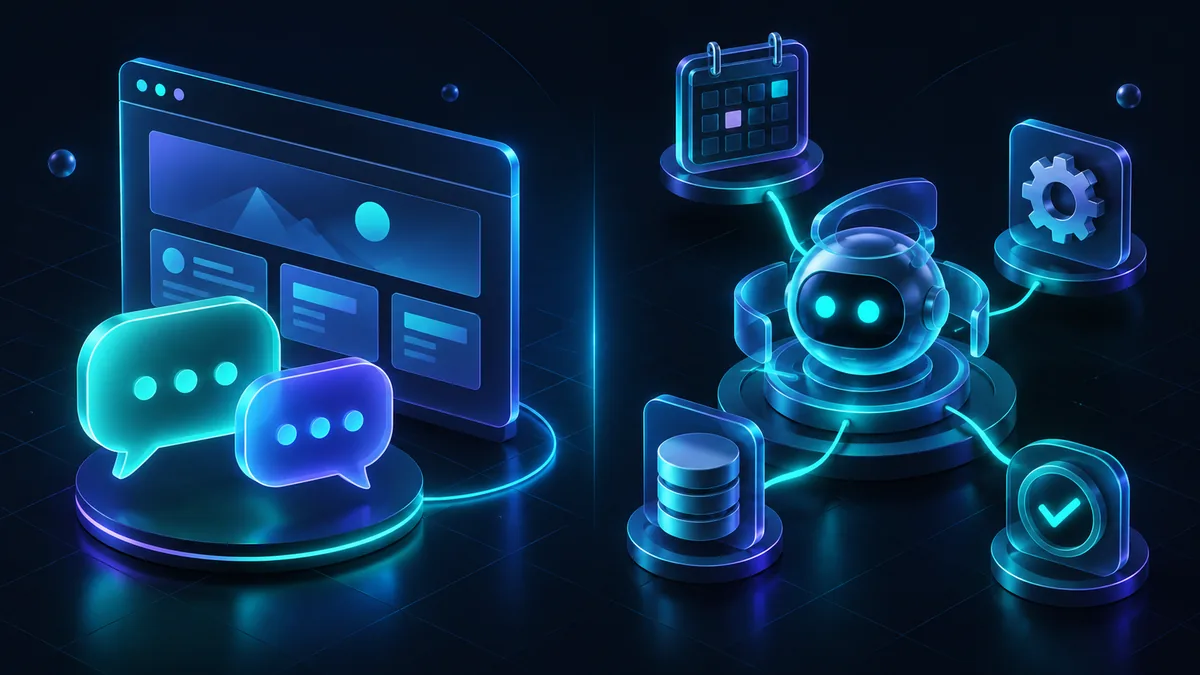
An AI agent vs chatbot comparison comes down to one thing: a chatbot answers, an agent acts. A chatbot holds a conversation and gives you information. An agent can take real steps, checking a system, updating a record, or completing a multi-step task, with limited supervision.
Most businesses that think they need an agent actually need a good chatbot, which is simpler to build, cheaper to run, and far easier to keep reliable. This post covers the real architectural difference, so you can tell which one your project actually calls for.
The core difference
A chatbot is fundamentally reactive. A visitor asks a question, the bot retrieves relevant information and responds, and the interaction ends there. Even a well-built chatbot using retrieval-augmented generation, which we cover in our guide to AI chatbots for small business, is still answering one question at a time from a fixed set of source content.
An agent is built to pursue a goal across multiple steps, deciding what to do next based on what happened at each prior step. Instead of just answering "what is my order status," an agent could look up the order in your system, notice it is delayed, check the reason, and draft a response, or actually issue a refund within rules you set. It plans, it calls tools or APIs, and it adjusts its next move based on what those tools return.
How the architecture actually differs
A chatbot's architecture is comparatively simple: a question comes in, the system retrieves relevant content, a language model generates a response using that content, and the response goes back to the user. One pass, one output.
An agent's architecture adds a loop. The model receives a goal, decides on an action, calls a tool such as an internal API, a database query, or an external service, reads the result, and decides whether the goal is met or another step is needed. This can repeat many times before the agent produces a final answer or completes the task. That loop is what makes an agent powerful and what makes it harder to build safely, because each step is an opportunity for the model to misread a result or take an action you did not intend.
Side by side
| Aspect | Chatbot | AI agent |
|---|---|---|
| Core behavior | Answers a question | Works toward a goal across steps |
| Typical use | FAQ, support, lead capture | Multi-step tasks: bookings, refunds, data lookups |
| Takes action in your systems | Rarely, at most a form submission | Yes, calls tools and APIs directly |
| Build complexity | Lower | Higher, needs tool access and guardrails |
| Risk if it errs | A wrong or vague answer | A wrong action taken in a live system |
| Oversight needed | Periodic review of transcripts | Defined permissions, limits, and monitoring per action |
When an agent is genuinely worth it
- The task requires touching live systems, like checking inventory, updating a booking, or pulling a real customer record, not just answering from static content.
- The work is genuinely multi-step and would otherwise need a person doing repetitive lookups and actions across more than one system.
- You can define clear boundaries for what the agent is allowed to do on its own, and what needs a human to confirm before it happens.
- The volume of these tasks is high enough that automating them saves real staff time, not just a handful of cases a week.
When an agent is overkill
If your visitors mostly want answers, not actions, an agent is unnecessary complexity. Answering "what services do you offer" or "what are your hours" does not need a system that calls tools and makes decisions across steps. It needs accurate retrieval and a clear response, which is exactly what a chatbot does well and cheaply.
An agent is also the wrong call when you cannot yet define firm boundaries for what it should be allowed to do. Giving a system the ability to take actions in your business without clear limits is a real risk, not a theoretical one. If you are not ready to specify exactly which actions are safe to automate and which require a person, build the chatbot first, get comfortable with how it performs, and consider an agent later for the specific tasks that would benefit from it.
Guardrails an agent actually needs
If you do decide an agent fits your case, the design work is mostly about limits, not capability. Define exactly which actions the agent can take without confirmation, like looking up an order status, versus which actions need a human to approve first, like issuing a refund above a certain amount. Log every action the agent takes, so you can review what happened after the fact, not just trust that it went well. And build in a way for the agent to say "I am not confident, here is a human" rather than guessing when a situation falls outside what it was designed to handle.
These guardrails are not optional extras. An agent without them is not a more capable chatbot, it is an unsupervised system with access to your live data and tools, which is a materially different risk profile than a bot that can only talk.
A quick way to test yourself
Ask what happens if the system is wrong. If a wrong answer means a visitor gets a vague or slightly incorrect response and has to ask again or contact you, that is chatbot-level risk, manageable with good content and a human fallback. If a wrong action means a refund gets issued that should not have, an inventory record gets updated incorrectly, or a booking gets changed without the customer's intent, that is agent-level risk, and it needs the guardrails above before it goes anywhere near production.
This test alone resolves most of the confusion between the two categories. Businesses reach for the word "agent" because it sounds more advanced, when what they actually need, and what is actually safer to run, is a well-built chatbot doing one job well.
A practical path
Start with a chatbot grounded in your real content for the questions your team answers most. Once that is running well and you can see clearly which repetitive tasks still need a human doing the same lookup or update every time, that is your candidate list for an agent. Build the agent narrowly around those specific tasks, with explicit permissions, rather than as a general-purpose assistant with broad access to your systems.
For the practical side of adding either one to your site without falling for the hype, see our guide on adding real AI to your website. If you want help figuring out whether your business needs a chatbot, an agent, or neither yet, look at our AI automation and AI chatbot services, or get in touch and describe the actual task you are trying to solve.