AI for customer service works best on repetitive, well documented requests: FAQs, order status, returns policy, ticket triage and after hours coverage. It should hand anything involving judgment, complaints, refunds outside policy or emotional customers to a human, and it must answer from your own knowledge base so it does not invent policies.
We build AI support assistants and ticket automation for businesses, and the pattern is consistent. Teams that treat AI as a new member of the support operation, with a defined scope, training material and a manager, get good results. Teams that switch on a chatbot and walk away get angry customers. This guide covers how to do it the first way.
What AI in customer service actually means
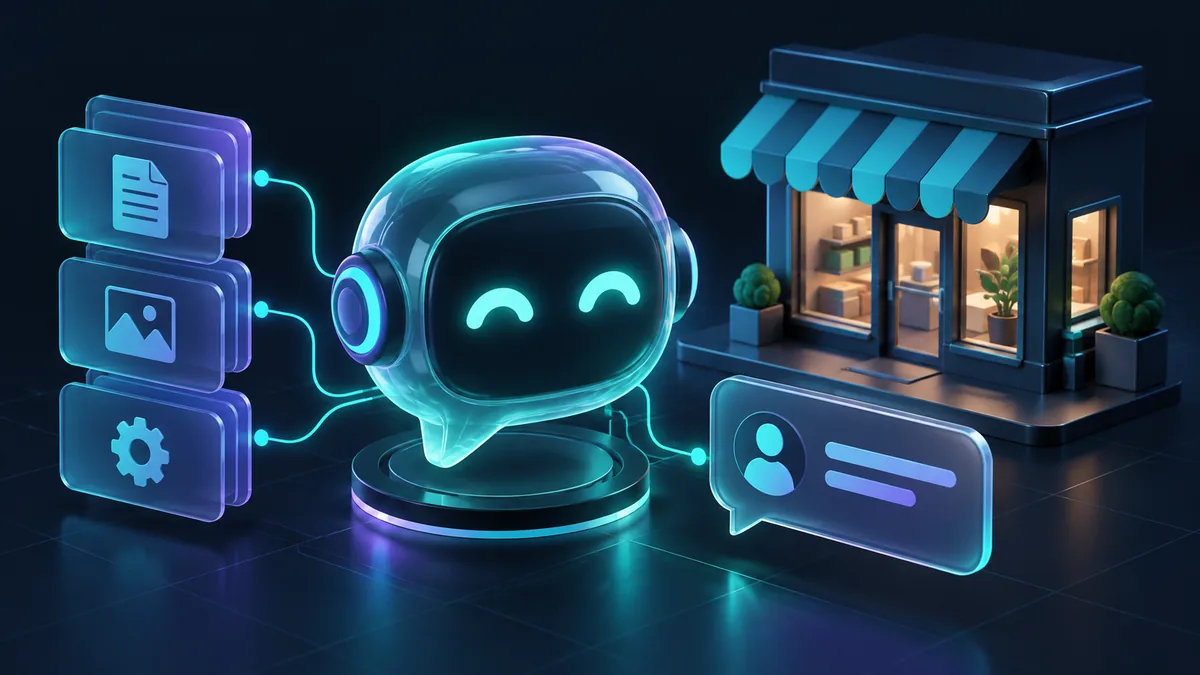
AI for customer service is the use of language models and automation to answer, route or prepare customer requests across chat, email, messaging apps and sometimes voice. It covers more than a chat widget. In a working support operation, AI usually takes 1 or more of these roles:
- Front line assistant. Answers customers directly in chat, email or WhatsApp, using your help content.
- Triage layer. Reads incoming tickets, tags the topic, detects urgency and language, and routes them to the right queue.
- Agent copilot. Suggests replies, summarizes long threads and pulls relevant help articles for human agents, who stay in control.
- Workflow automation. Looks up order status, updates addresses or creates return requests by calling your systems, within strict limits.
- Quality and insight. Summarizes what customers are contacting you about each week and flags recurring problems.
You do not need all 5. Most businesses should start with triage or a copilot, because the risk is low and the time saved is immediate.
What AI handles well
Repetitive FAQs
Shipping times, opening hours, pricing tiers, how to reset a password, what documents are needed. These questions make up a large share of volume in most support inboxes, and the answers already exist. An AI assistant grounded in your help center can answer them instantly and consistently, at 3 a.m. as well as 3 p.m.
Order and account status
"Where is my order?" is the classic example. If the assistant can securely look up an order after verifying the customer, it can give a real answer instead of a generic one. This needs an integration with your store or order system and careful identity checks.
Triage and routing
AI is very good at reading a message and deciding what it is about. Billing, technical fault, cancellation, sales inquiry, complaint. Correct routing alone cuts response times, because tickets land with the right person on the first attempt.
After hours and overflow
Customers expect a response outside office hours. AI can resolve simple requests overnight and, for everything else, collect the details, set expectations and create a well structured ticket for the morning team.
Multilingual support
Modern models handle many languages well. For businesses serving Arabic and English speakers, for example, one assistant can respond in the customer's language while agents work in theirs. Review quality in each language before launch, especially for industry terms.
What AI should hand to humans
Deciding what AI must not handle is as important as deciding what it can. We define these as hard handoff rules, not suggestions.
- Complaints and angry customers. A frustrated customer wants to feel heard by a person. Detect negative sentiment and escalate.
- Refunds, credits and exceptions. Anything that costs money or bends policy needs human approval.
- Legal, medical, financial or safety topics. Route to qualified staff with a clear, calm handoff message.
- Account security. Changing an email, phone number or payment method is a common fraud path. Keep strong verification and human review.
- Anything the knowledge base does not cover. If the assistant cannot find a source, it should say so and hand off, not guess.
- A customer who asks for a person. Always honor it, quickly.
A good handoff passes the full conversation, a summary and the detected topic to the agent, so the customer never has to repeat themselves. Repeating information is one of the fastest ways to lose goodwill.
Grounding: how to keep answers accurate
A language model on its own will produce fluent, confident answers that may be wrong. In customer service a wrong answer about a return window or a warranty can become a commitment your team has to honor or retract. The fix is grounding, usually built with retrieval augmented generation (RAG).
In simple terms, the system searches your approved content for passages relevant to the customer's question, then instructs the model to answer only from those passages. If nothing relevant is found, it should decline and escalate.
What makes grounding work
- One source of truth. Consolidate policies, help articles, product details and macros. Delete or archive outdated versions, because the AI will find them.
- Clear, specific articles. "Returns are accepted within the stated period for unused items with a receipt" retrieves and answers better than a long page mixing 6 topics.
- Metadata. Tag content by product, region and customer type, so a question from one country does not get another country's policy.
- Strict instructions. Tell the model to cite only retrieved content, avoid promises, and escalate when unsure.
- An update process. When a policy changes, the knowledge base changes the same day. Assign an owner.
- Testing against real questions. Pull a few hundred real past tickets and check how the assistant answers them before any customer sees it.
This is the part most rushed deployments skip, and it is the part that decides whether customers trust the assistant. Our AI chatbot service builds grounding and handoff rules in from the start.
Rollout steps that keep risk low
- Audit your tickets. Export a few months of support conversations and group them by topic. Identify the high volume, low risk categories. That is your starting scope.
- Clean the knowledge base. Fix gaps and contradictions for those categories first.
- Start internal. Launch as an agent copilot or triage layer. Agents see AI suggestions and tags, and correct them. You learn where it fails without customers seeing it.
- Write handoff rules. Define topics, keywords and sentiment signals that always go to a human.
- Soft launch to customers. Enable the assistant on 1 channel, for a limited set of topics, perhaps after hours only. Make the human option visible.
- Review conversations daily at first. Read a sample every day for the first weeks. Fix content gaps and adjust prompts.
- Add integrations carefully. Order lookup and account actions come after the assistant proves it answers accurately. Start with read only access.
- Expand scope gradually. Add topics one group at a time, based on data, not enthusiasm.
Integrations and data safety
Once AI reads customer data or takes actions, security matters as much as answer quality.
- Verify the customer before revealing order or account details.
- Give the AI the minimum access it needs. Read only first, write access only for specific, reversible actions.
- Log every action the AI takes, with the conversation that triggered it.
- Check what data you send to the model provider and whether your contracts and privacy rules allow it.
- Mask sensitive fields like card numbers and ID numbers before they reach the model.
- Tell customers they are talking to an AI assistant. It builds trust and, in some places, is expected by regulation.
Connecting AI to a helpdesk, CRM or order system is integration work. See our AI integration service for how we approach it.
What to measure
Measure outcomes for customers and for the team, not just how many chats the AI handled.
- Resolution rate without escalation. Conversations the AI resolved where the customer did not come back about the same issue soon after.
- Escalation rate and reasons. Why conversations reached a human. Each reason is a content gap, a policy limit or a correct handoff.
- Answer accuracy. A weekly sample of AI answers scored by a senior agent.
- Customer satisfaction. Compare CSAT for AI handled conversations with human handled ones for the same topics.
- First response time and time to resolution. Especially after hours.
- Agent time saved. Handling time on tickets where a copilot helped versus where it did not.
- Repeat contact rate. If customers contact you again within a few days, the first answer did not solve their problem.
Be wary of a very high "deflection" number on its own. Deflecting a customer who then gives up is not a success, it is a lost customer who does not show up in the support queue.
Common mistakes
- Hiding the option to reach a human.
- Launching on all topics at once.
- Feeding the AI an outdated knowledge base.
- Letting the assistant make promises about refunds, delivery dates or compensation.
- No one owning the assistant after launch.
- Measuring only volume handled instead of problems solved.
Common questions
Will AI replace my customer service team?
In our experience it changes the work more than it removes the team. AI takes the repetitive requests, and people handle complex cases, complaints and customers who need a human. Many teams use the time saved to respond faster and handle harder issues better.
How do I stop an AI assistant from giving wrong answers?
Ground it in an approved knowledge base, instruct it to answer only from retrieved content, and make it escalate when it cannot find an answer. Then review real conversations regularly and fix gaps in your content. No system is perfect, which is why handoff rules and human review matter.
Which support channels can use AI?
Website chat, email, and messaging apps like WhatsApp are the most common, and many helpdesk platforms support AI features directly. Voice is possible but harder to get right. Start with the channel that has the highest volume of simple requests.
Should customers know they are talking to AI?
Yes. Label the assistant clearly and make the human option easy to find. Customers are more forgiving of an AI that is honest about what it is, and some regulations require disclosure.
How long does it take to set up AI customer service?
A copilot or triage setup on clean content can be running in a few weeks. A customer facing assistant with order lookups and careful testing usually takes longer. Most of the time goes into the knowledge base and testing, not the AI itself.
If you want to bring AI into your support operation without risking your customer relationships, we can help you pick the right starting scope, prepare your content and build handoff rules that work. With 230+ projects shipped and ratings of 4.9 on Fiverr and 5.0 on Upwork, we care about getting it right. Get in touch to talk it through.